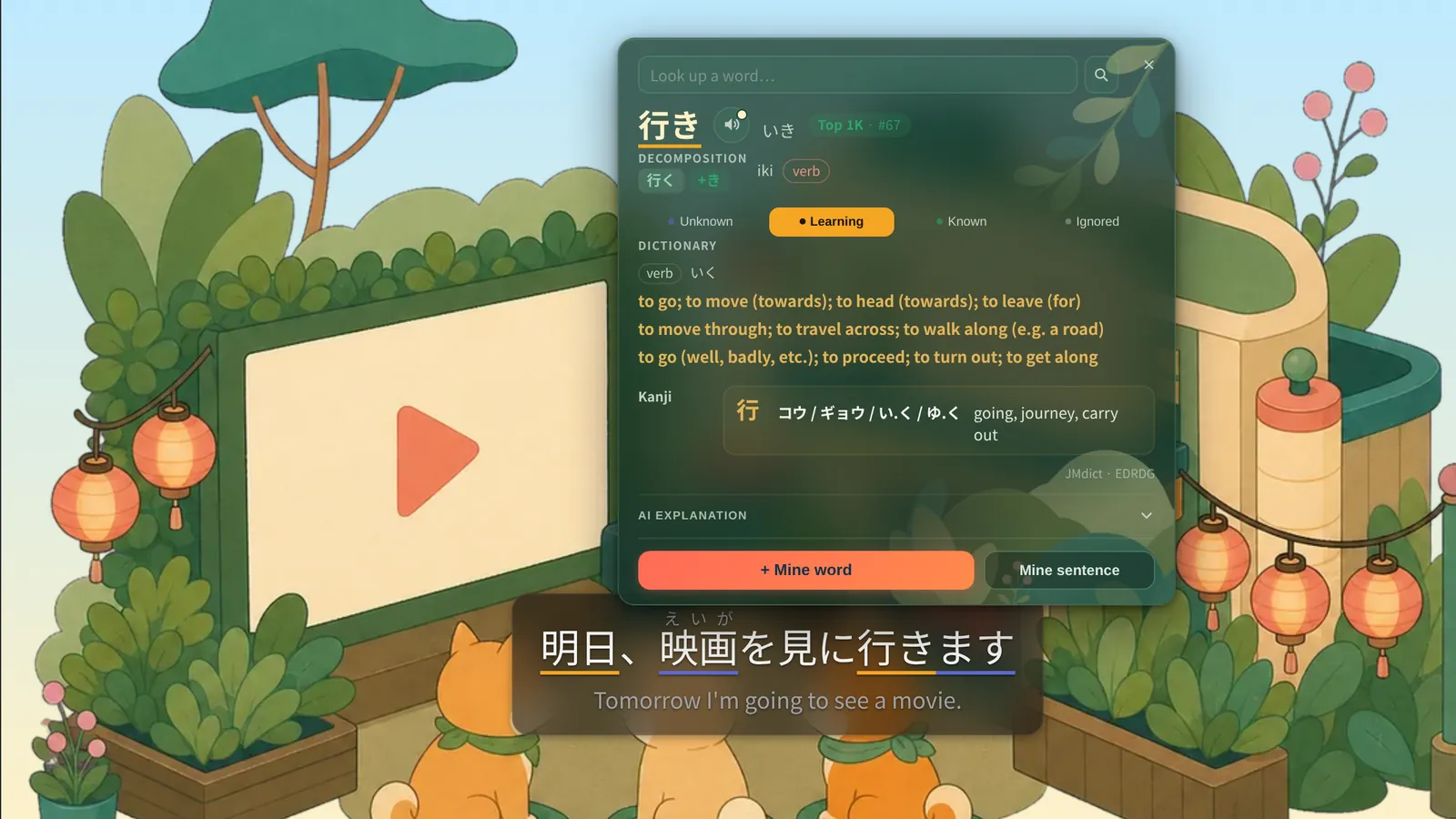






Netflix and YouTube sentence mining
Mine the shows you watch into your Anki decks.
Click any subtitle word on Netflix or YouTube and Shiberu makes the card. Link the deck with the Shiberu Sync add-on and it lands in desktop Anki on your next sync. Reviews sync both ways from then on.
Already use Anki?
Get the Sync add-on →
youtube.com/watch

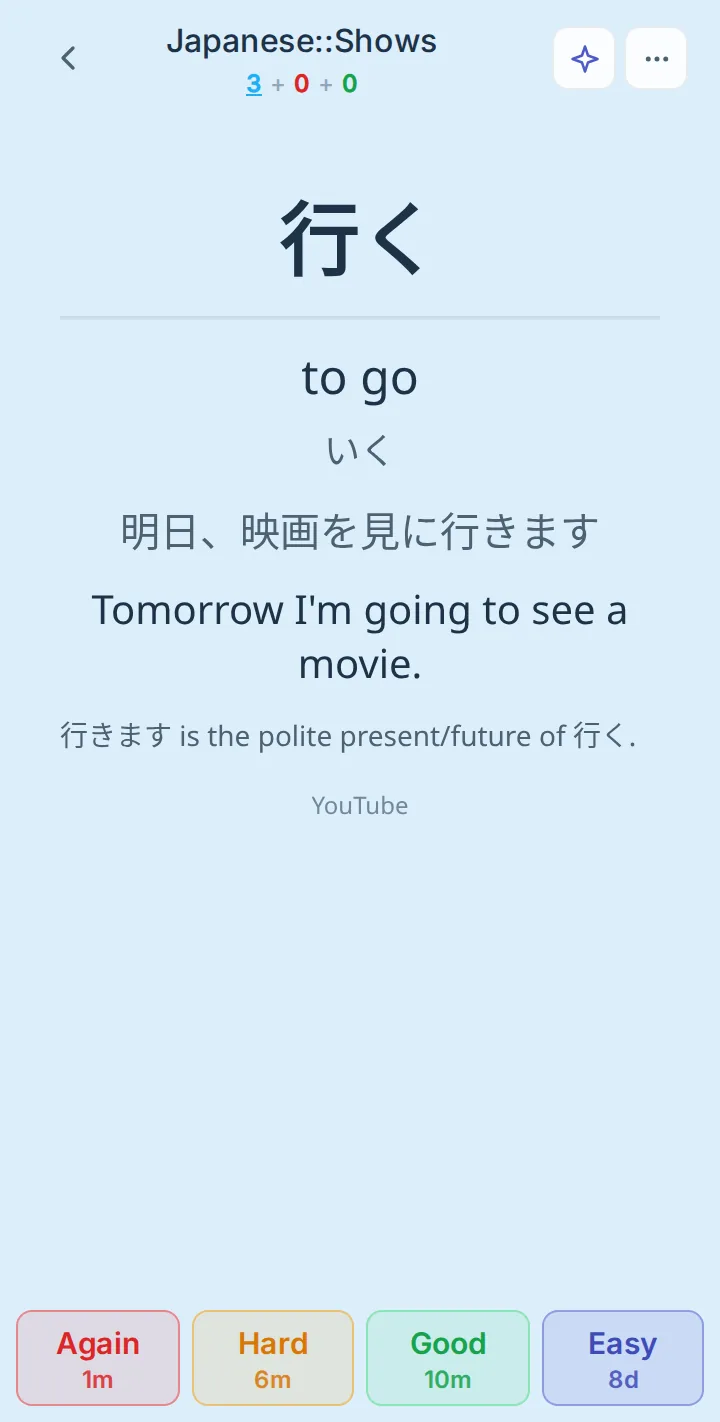
行く
いく
to go
Mined to Japanese::Shows
In Anki after your next sync
Anki sync add-on
Keep using Anki.
Shiberu works next to Anki, not instead of it. Link a deck once with the Shiberu Sync add-on for desktop Anki. While Anki is open, the add-on keeps that deck in step both ways, and cards you mine into it arrive in Anki.
How your cards move: the mining extension saves the cards you mine on Netflix, YouTube or any HTML5 video into your decks in the Shiberu cloud, and imported .apkg files land there with their review history. The Shiberu cloud syncs both ways with desktop Anki through the Shiberu Sync add-on, and both ways with the Shiberu app on the web and on Android. The iOS app is in development.
Your shows
Mining extension
Netflix, YouTube and any HTML5 video. Mined cards save into your decks.
Your .apkg files
Imported with history
Pick up where you left off
Your account
Shiberu cloud
Your decks, reviews and options
Shiberu Sync add‑on
Your computer
Desktop Anki
Anki 25.07 or later
Review here
Built‑in sync
Your browser and phone
The Shiberu app
Review here
Web
Any browser
Android
Direct APK · offline
iOS
In development
Both ways, every sync:
Reviews
Due dates
Forget, Set due date, Reposition
Deck option presets
Note edits and media
Only the decks you link are synced. The rest of your collection stays in Anki.
Get the Anki add-on →
How it works
From a subtitle to your Anki deck
01
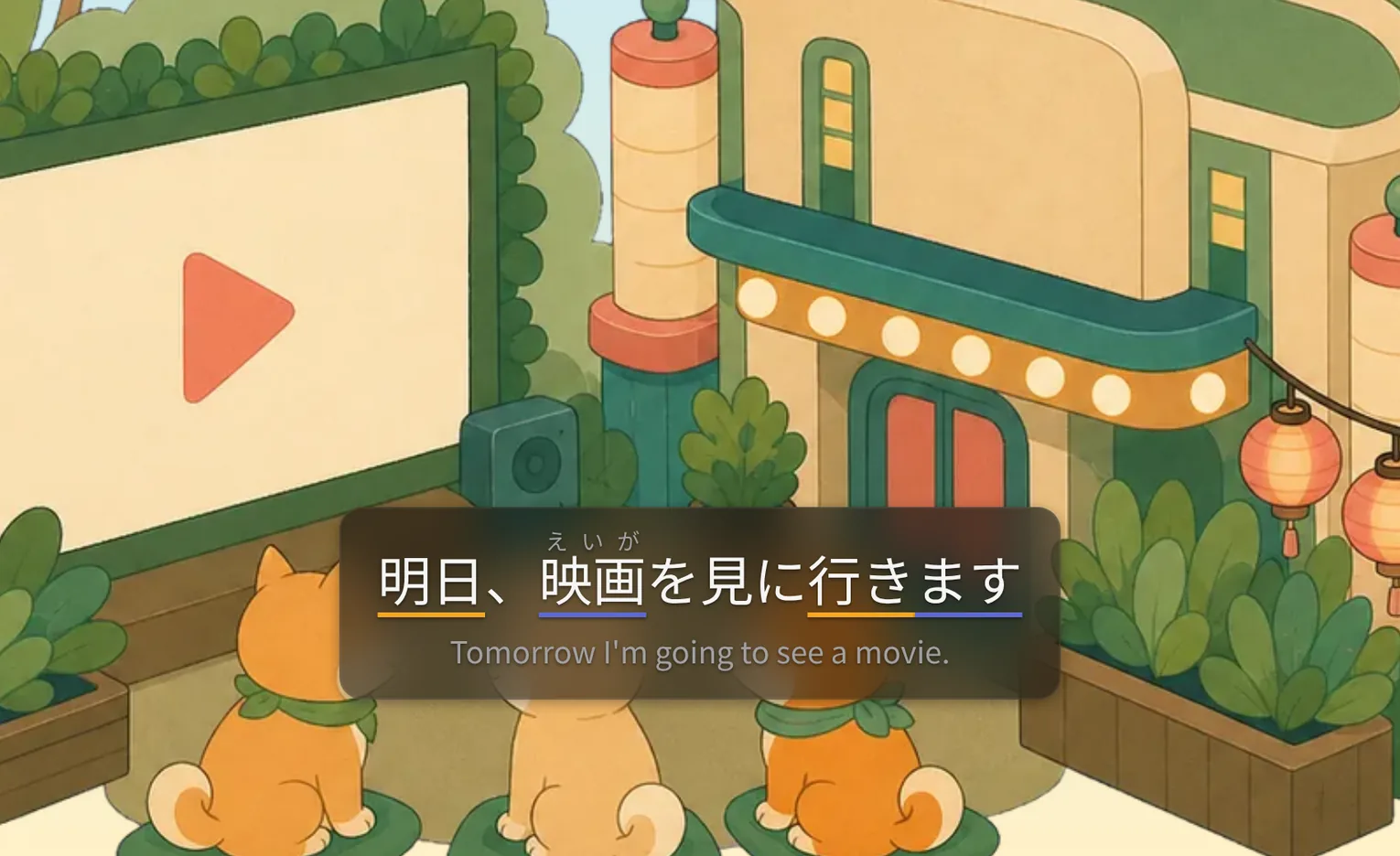
Click the word you missed
Every subtitle word is clickable. Tap the one you did not know and keep watching.
02
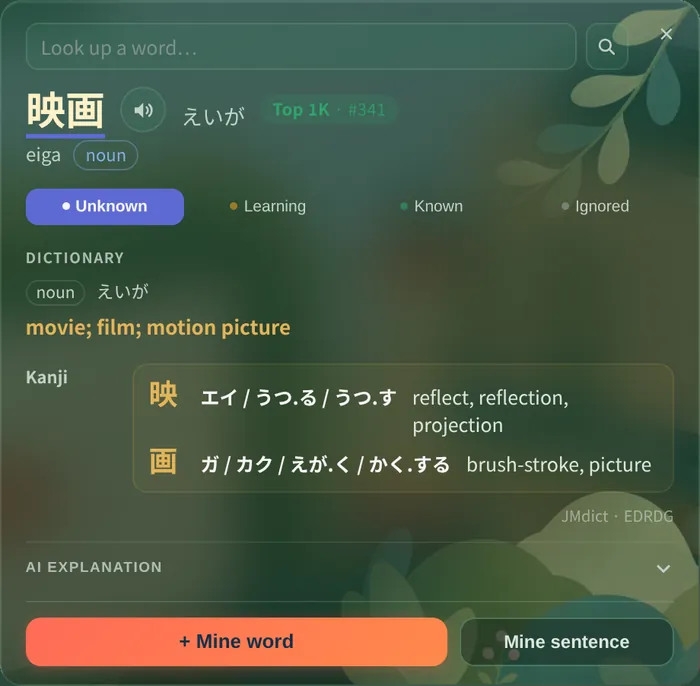
Get the card
Reading, meaning, the sentence and audio are filled in for you. Edit anything before you save.
Japanese::Shows
Shiberu deck
+1
Shiberu Sync add-on
Japanese::Shows
Desktop Anki deck
+1
03
Find it in Anki
Save to a linked deck and it is in desktop Anki after the next sync. You can also review it in the Shiberu app on the web or Android.
Works where you watch
YouTube
Netflix
Crunchyroll
Viki
Bilibili
Any HTML5 video
Your own subtitle files (.srt, .ass, .vtt)
Languages
Korean, Japanese and Chinese get full readings and dictionaries. Any other subtitle language gets AI explanations.
Already have Anki decks?
Pick up where Anki left off.
The Shiberu app is Anki-compatible on the web and on Android, and an iOS app is in development.
Import an Anki deck →
Bring in an .apkg with its full review history. Shiberu replays every review through FSRS, so your cards stay on schedule instead of starting over.
A full Anki-style reviewer →
FSRS-6, deck option presets, :: subdecks, a card browser, custom study, timers and auto-advance. On Android, download a deck and review it offline.
No lock-in: linked decks already live in your Anki, and any deck exports as an .apkg.
Web
Any browser
Android
Direct APK · offline
iOS
In development
More than an extension
The app that grows with your cards
Questions, answered
Your next episode is your next deck.
Install the extension, open a show and mine your first card. Link the deck and it is in Anki on your next sync.