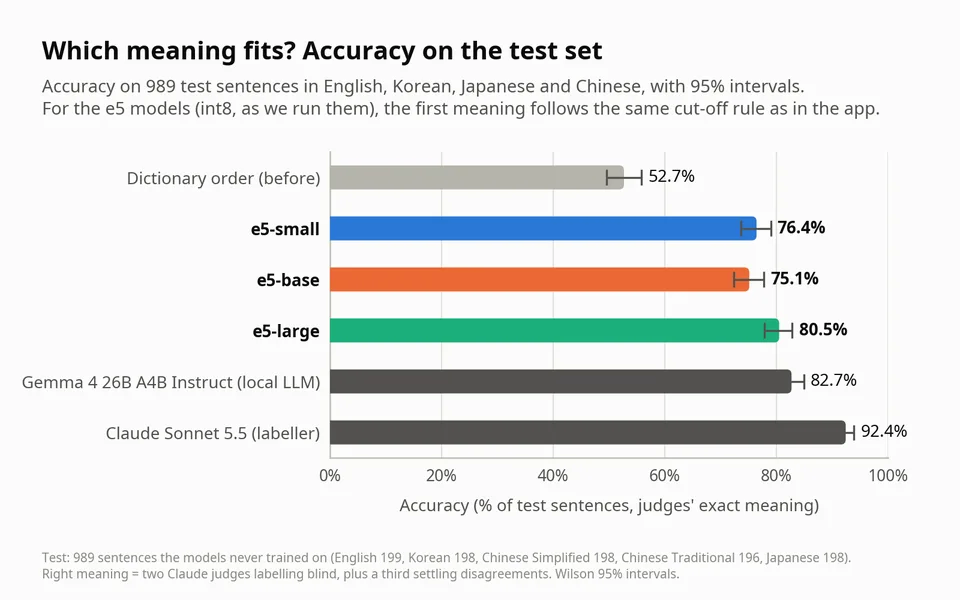
Meet Immerse
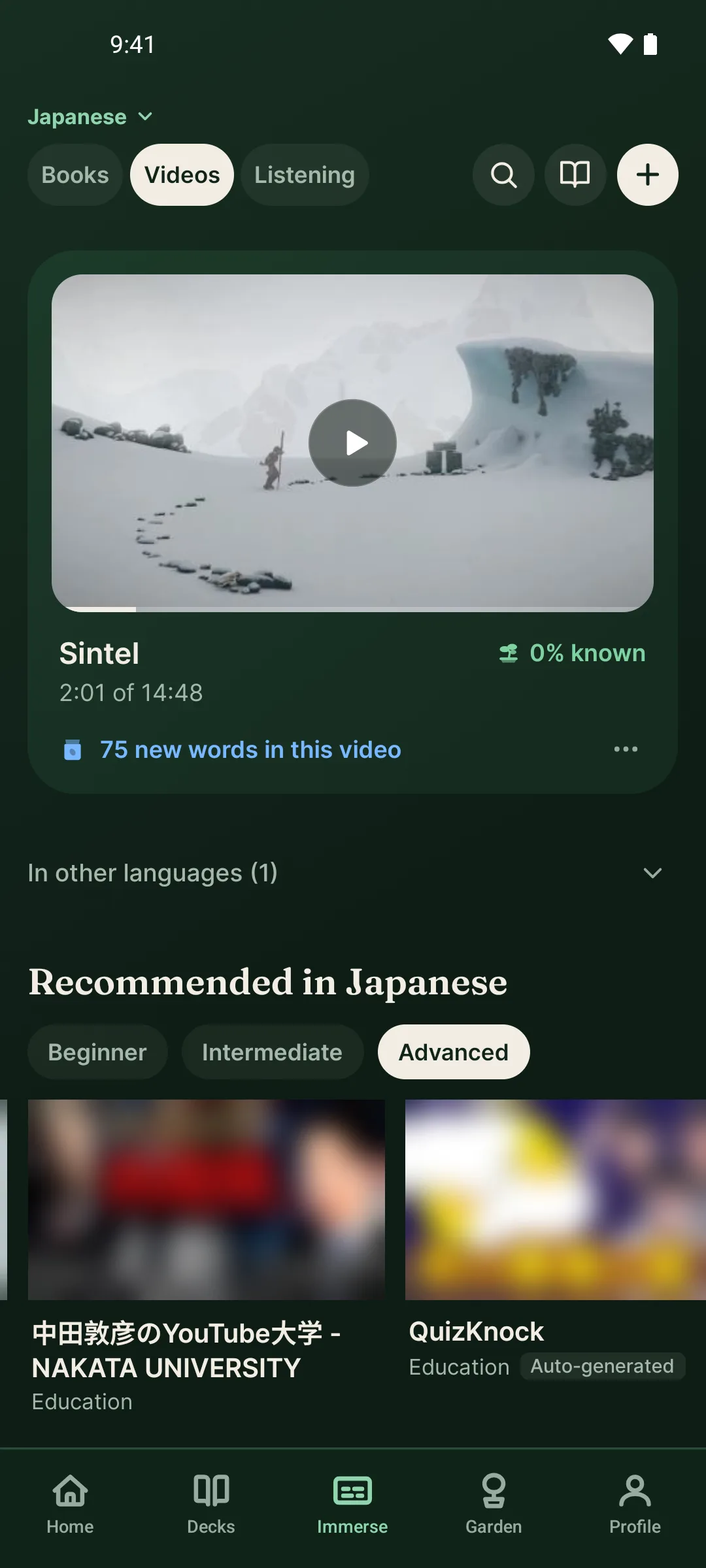
Reading has always been one of the main focus points of Shiberu, however comprehensible input in the form of audio is also extremely important to the language learning experience. Thus, we are changing the Reader tab of the app into the new Immersion tab. With a separate section for books, videos and audio.
The videos section also comes with suggested videos for comprehensible input at different difficulty levels; beginner, intermediate and advanced.
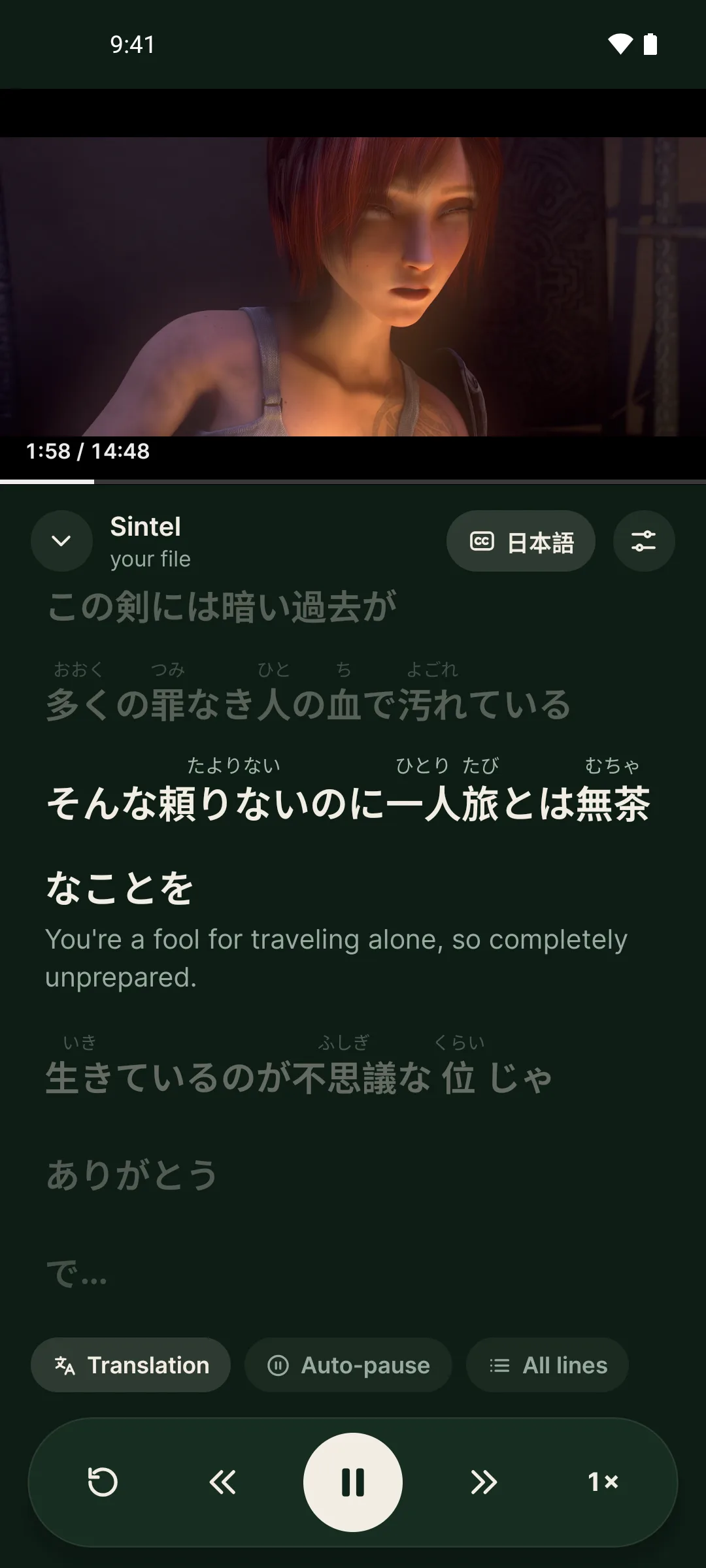
Watch with tappable subtitles
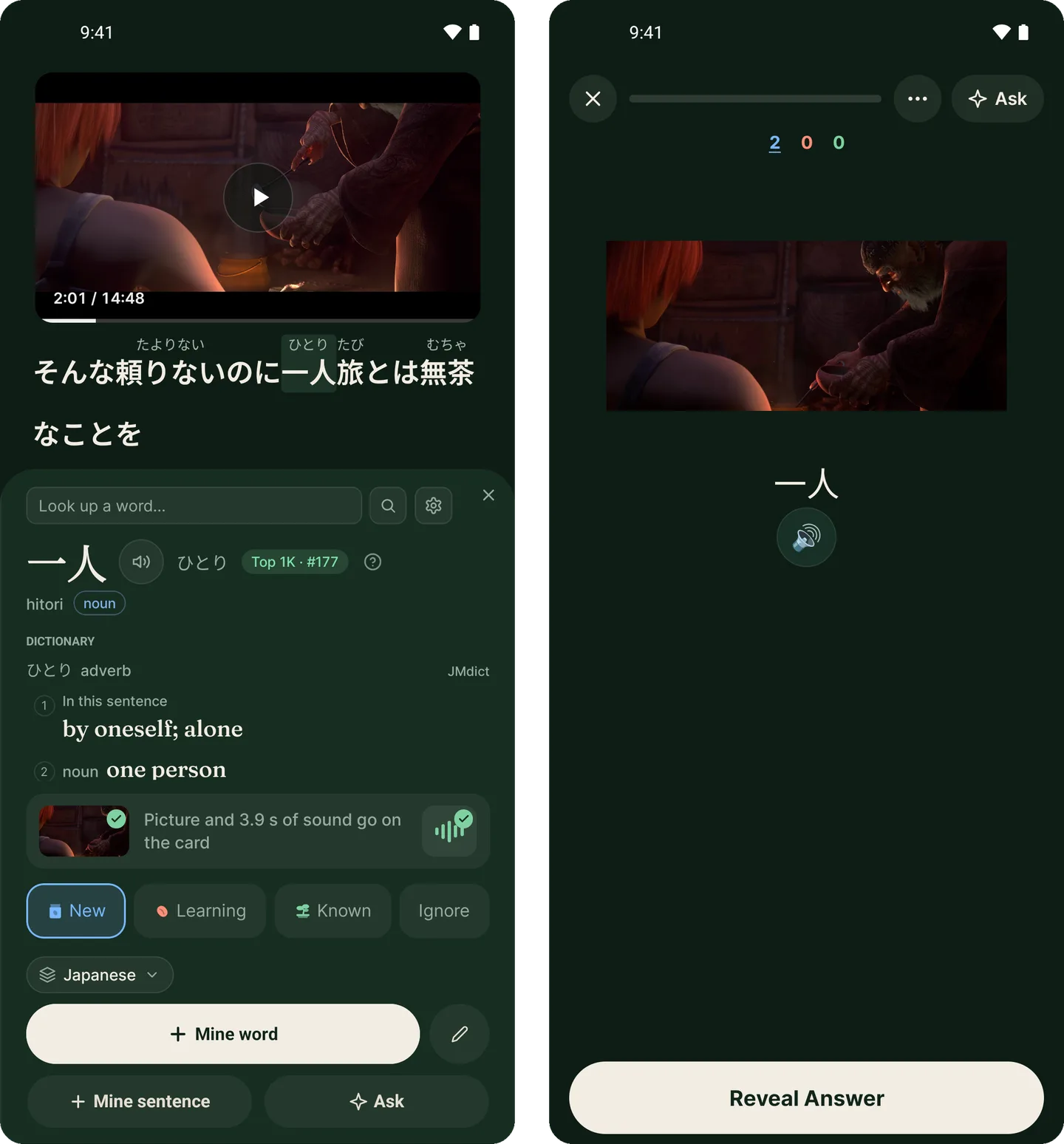
As you watch a video, you will see the subtitles for the video. Of course, they are clickable! Bringing up the Shiberu word pop-up that you are already familiar with, allowing you to save / mine words and sentences.
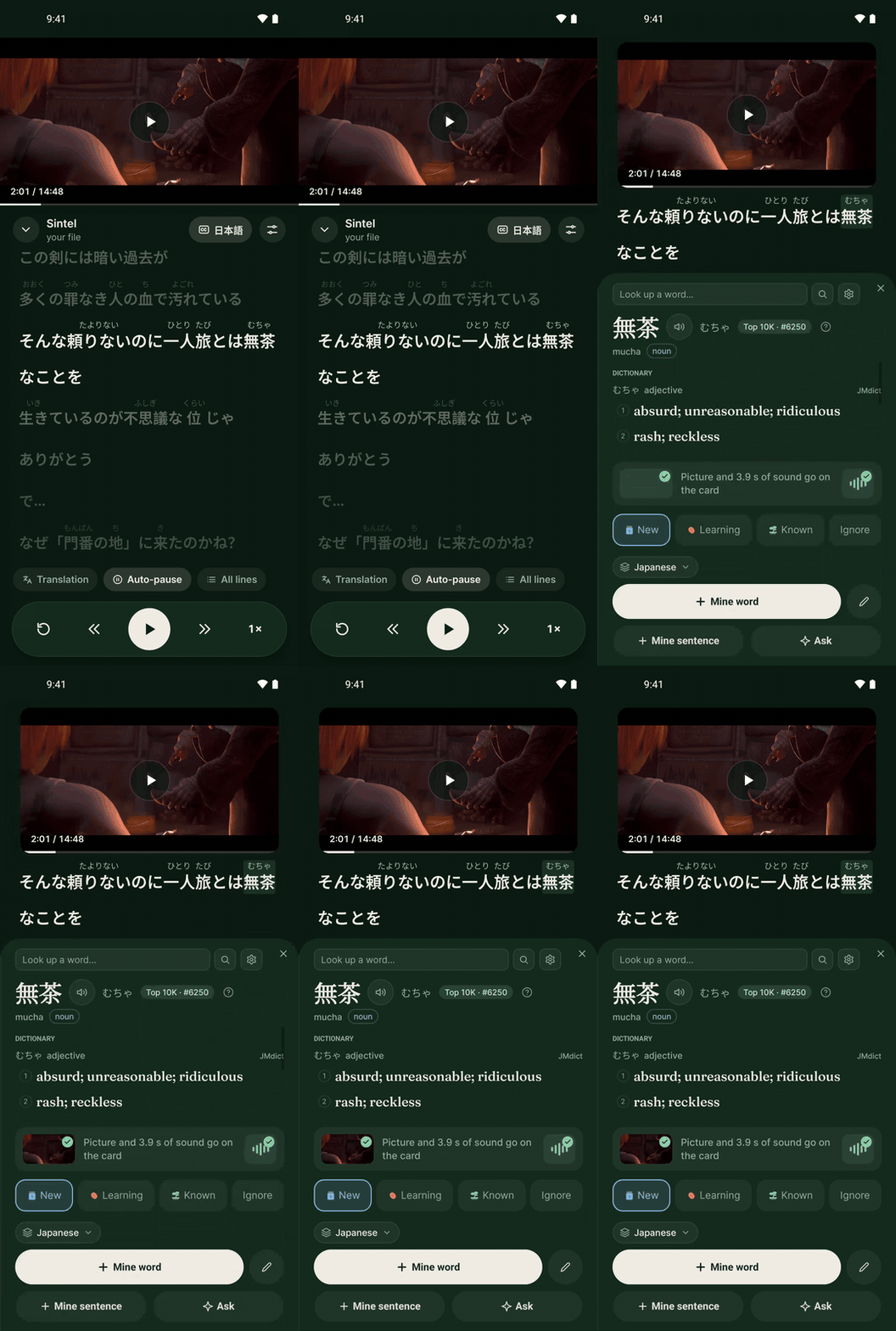
Tap a word and the video pauses, allowing you to explore the meanings of the word.
Smaller features while watching:
- Replay the line you just heard, or jump to the previous or next one.
- Auto-pause stops after every line, so you can say it yourself before the video goes on.
- All lines shows the whole script; tap any line to go there.
- Readings above words (furigana and the like) for new words only, for every word, or not at all.
- Subtitles a little early or late? Move them in the player settings, or repeat one line until you have it.
- Done watching? On your phone, swipe down on the video to close the player (YouTube too).
Nothing you do while watching counts as a flashcard review. Marking a word Known changes the word, not your cards.
Mined cards bring picture and sound
Mine word (or Mine sentence) makes a new flashcard, and when done from a video, it will also bring the picture of the scene as well as the sound into your flashcard.
Supported Videos
Tapping add on the videos tab give the following options:
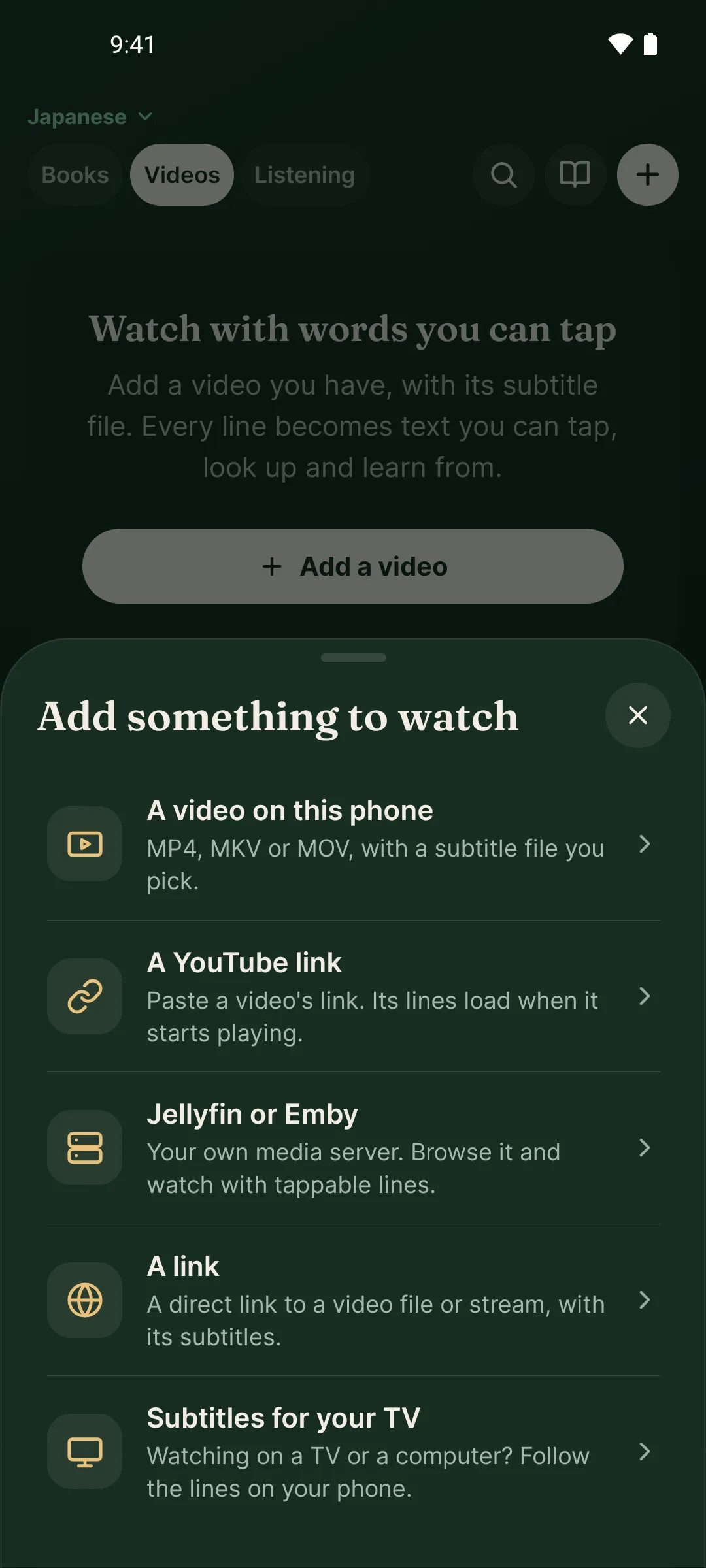
- A video file you have. MP4, MKV or MOV, with a subtitle file you pick (SRT, ASS, VTT, SMI or TTML). If an MKV file has subtitles inside it, you can use those. The video itself stays where it is: Shiberu keeps the lines, your words and your place in it. (MKV files don't play on iPhone and iPad; use an MP4 there.)
- Youtube Link, result will however vary depending on if subtitles are available, or only auto-generated ones are available and such.
- Jellyfin or Emby, your own media server (more on that below).
- A link straight to a video file or a stream, like one ending in .mp4 or .m3u8, with its subtitles.
- Subtitles for your TV (also below).
No subtitles? Generate them
Lots of good videos have no subtitles at all. Shiberu can auto-generate subtitles for you, locally, all on your phone. The video/audio is never uploaded to our servers. Your phone will however need to download a speech model to make this possible, which Shiberu will prompt you to do. This is a one-time download and it can be deleted again in Settings.
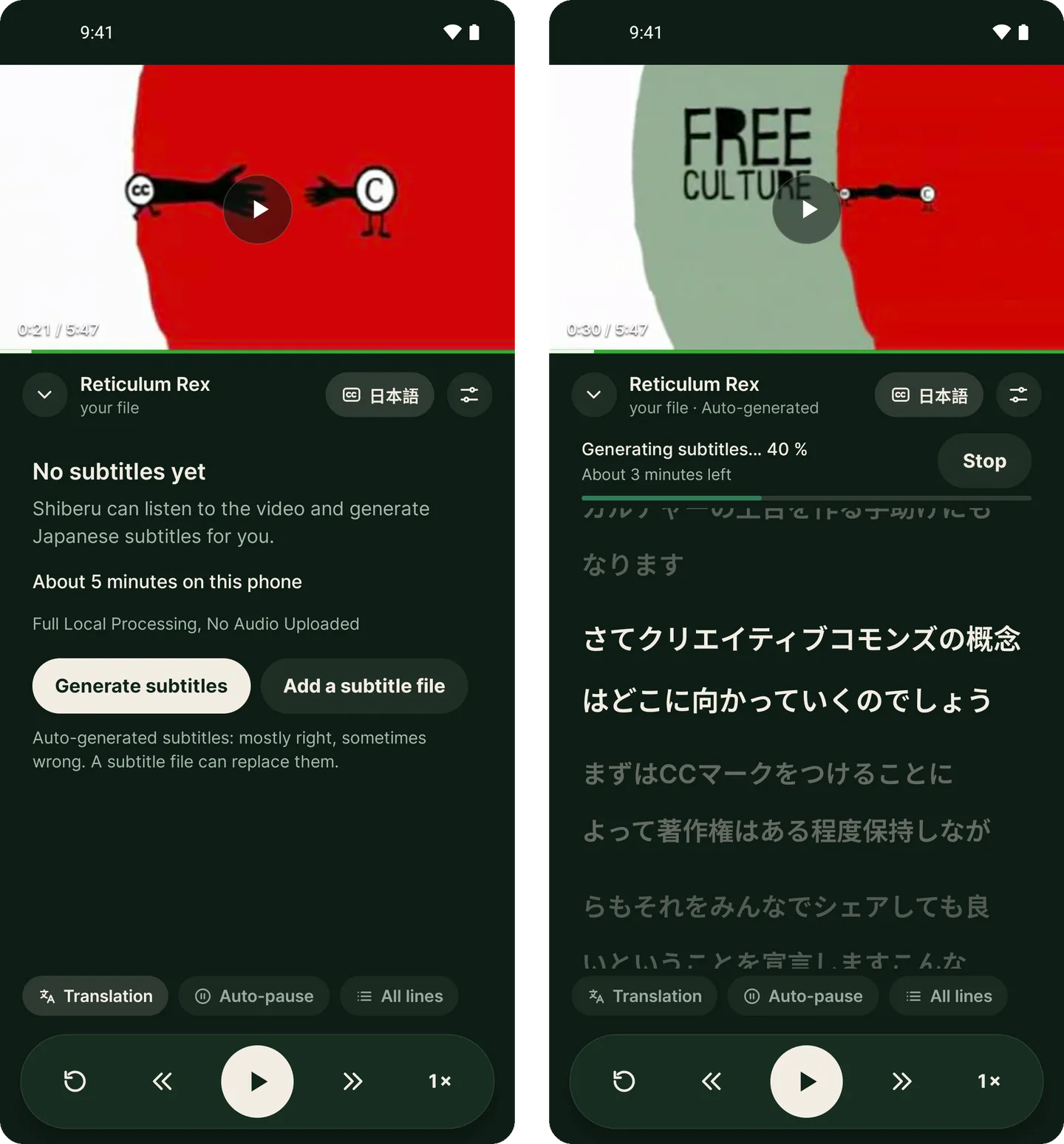
Subtitles made this way are marked Auto-generated. They are mostly right and sometimes wrong, and a proper subtitle file can replace them whenever you like. It works for spoken recordings in Listening too. (It isn't available on the website, and on iPhone not yet for MKV files.)
Listening
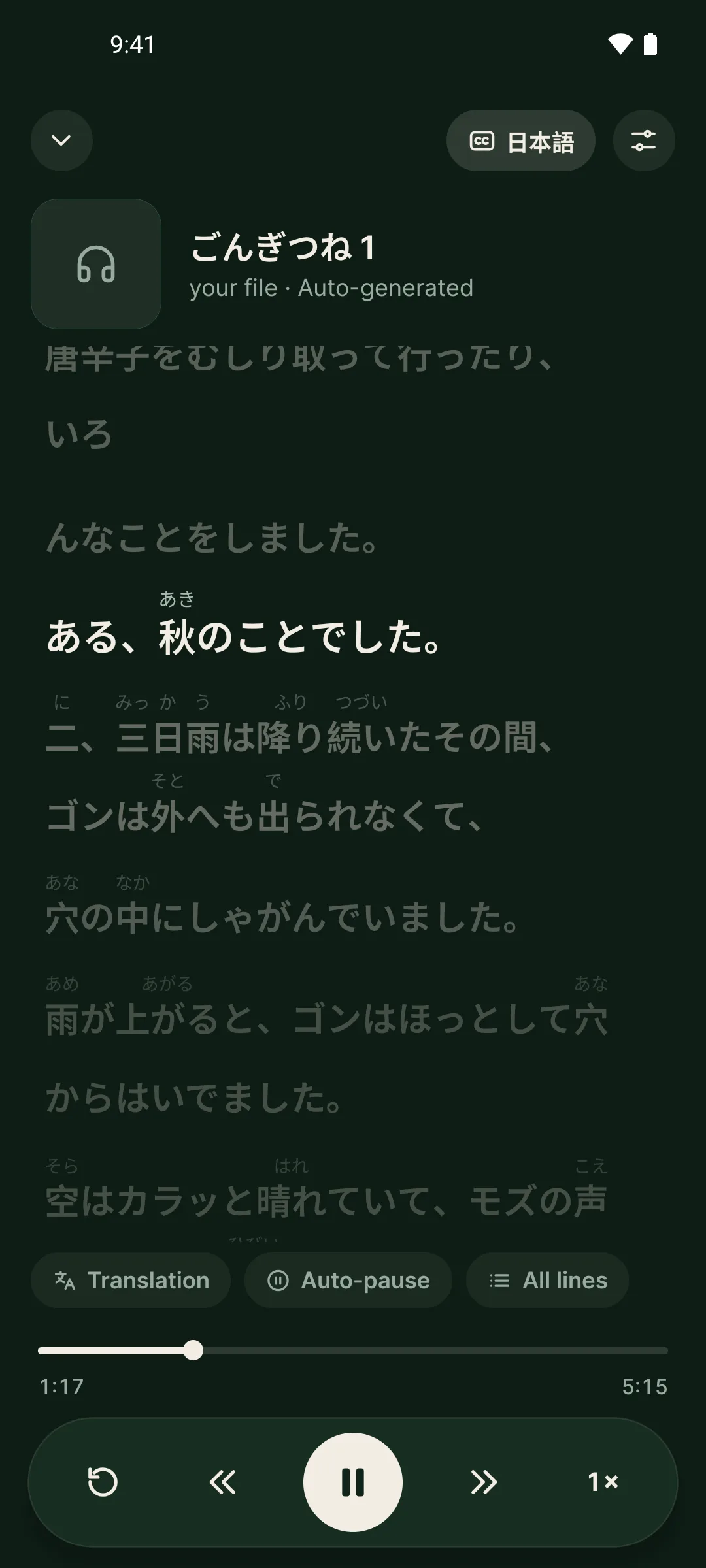
Listening is the same idea without a picture: songs, audiobooks, podcasts, any recording you have, as MP3, M4A, FLAC or WAV (and OGG on Android), with a subtitle file or a lyrics (LRC) file. For speech, like an audiobook or a podcast, the phone can also write the lines itself, as it did here for the first part of 「ごんぎつね」, read for LibriVox:
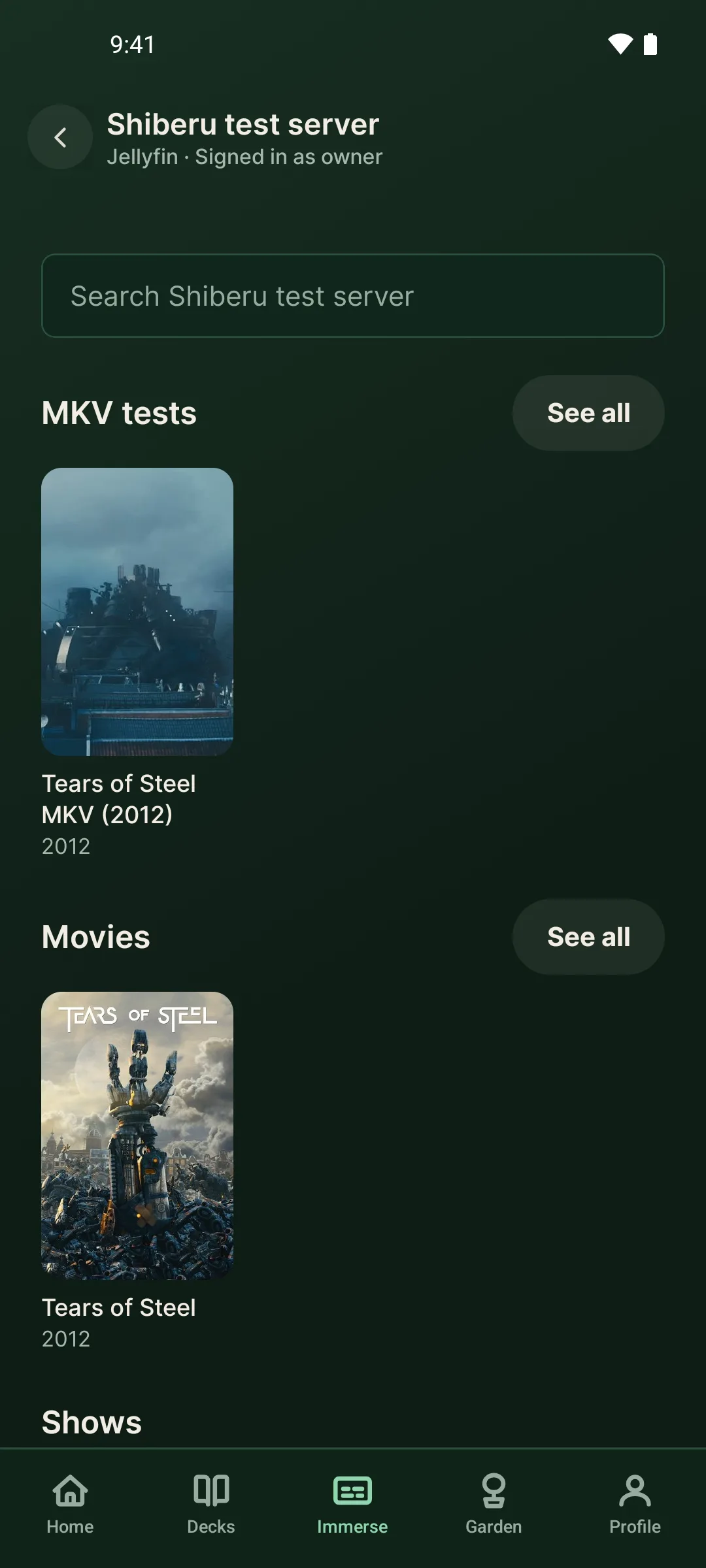
Your own media server: Jellyfin and Emby
You can connect Shiberu to your Jellyfin / Emby media-server if you have one! To watch videos from there as well.
Subtitles for your TV
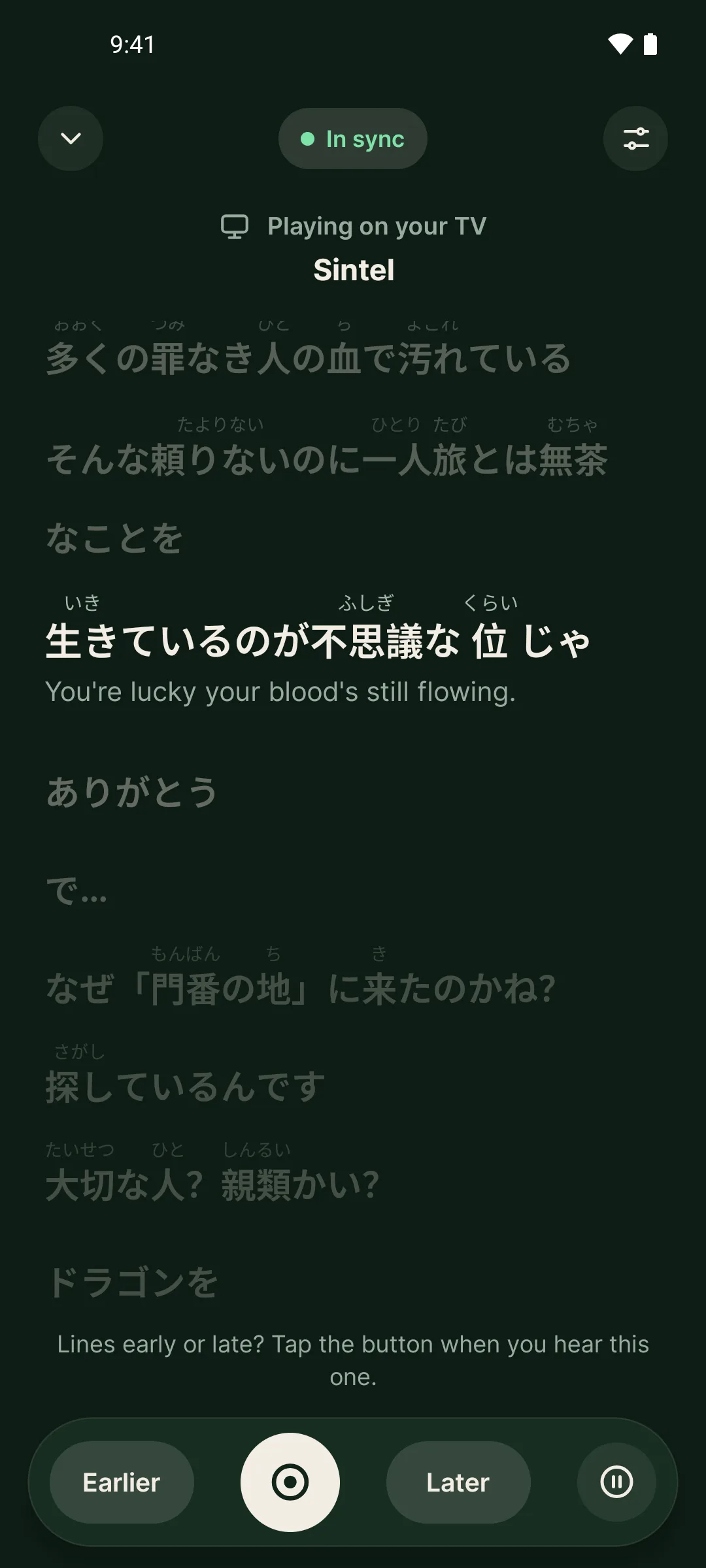
Watching on your TV? You can sync a subtitle file between Shiberu and your TV and use Shiberu for word lookup that way.
Turn your phone to landscape
Landscape your phone, Shiberu subtitles get put inside the video, except for youtube where it is either beside or below. This is due to the youtube embedded player has some limitations.

When will it be live?
The new build has just been submitted to playstore and appstore. It typically takes a few hours for Apple and Google to review it and put it live, but should be sometime today (Nov 29).
-- Alex, Shiberu Developer, 2026 Nov 29.